What is a warranty scanner?
The phrase means different things to a dealer, an installer and a customer, and a good system serves all three with the same code. This page explains what a warranty scanner is, what each scan captures, how it behaves when the network is poor, and why the most used warranty scanner in India is WhatsApp.
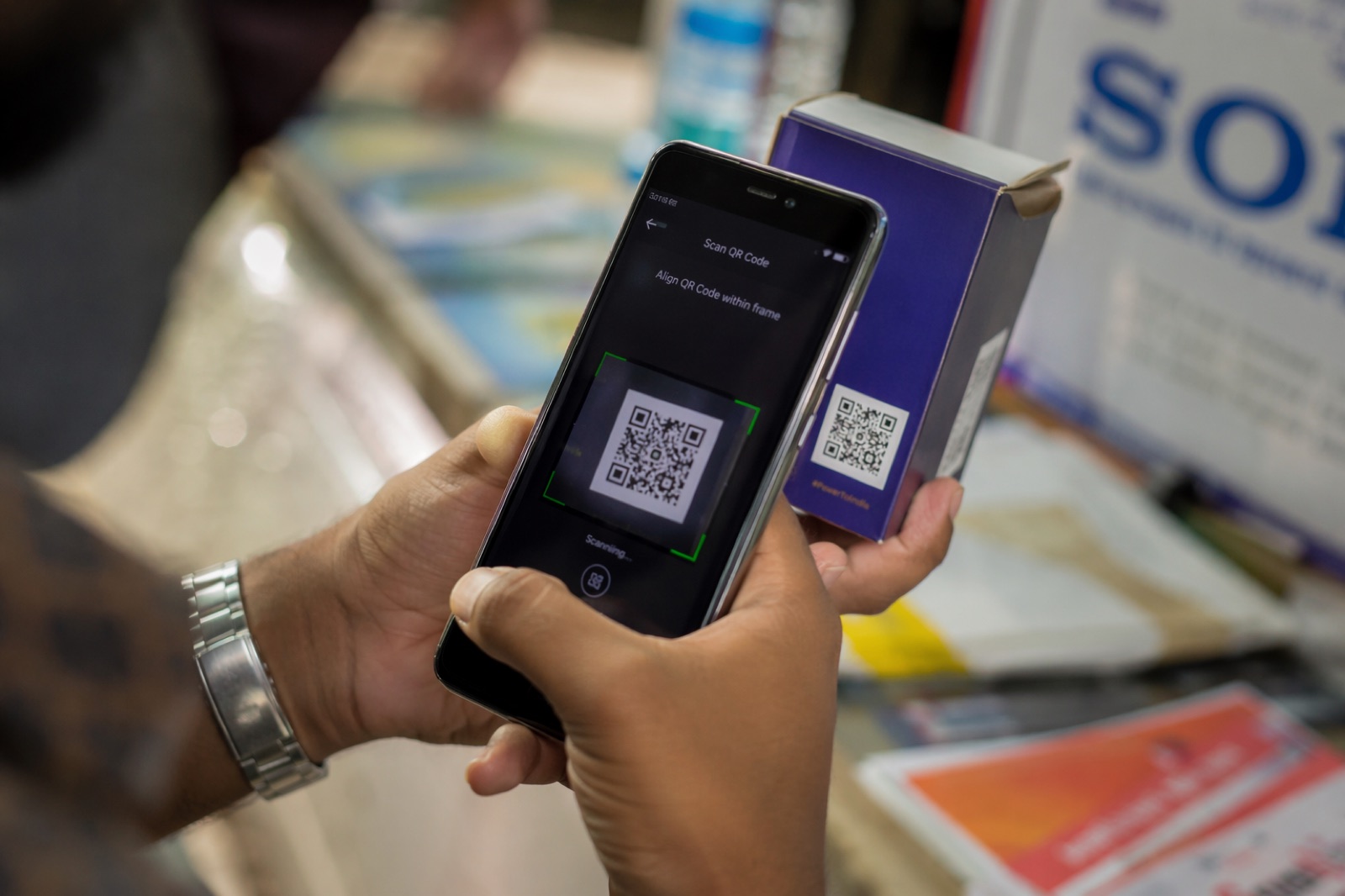
A warranty scanner is any phone camera, app or WhatsApp flow that reads the serialised QR or code on a product and links that scan to the unit's warranty record: registering it at sale or installation, verifying its status, or opening a claim. In Indian channel programs there are three scanning moments, the dealer at the point of sale, the installer at installation and the customer at home, and each scan captures who scanned, where, when and against which invoice. Because most dealers and customers will not install an app, the scanner that gets used is the phone camera opening a WhatsApp conversation, with an app reserved for dealers scanning in volume or offline.
The three scanning moments
| Who scans | When | What the scan captures | What it unlocks |
|---|---|---|---|
| Dealer or retailer | At the point of sale, before the unit leaves the counter | Dealer identity, invoice number or photo, customer mobile, timestamp, location | Warranty starts on a verified date; dealer earns a registration reward; sell-through recorded |
| Installer or technician | At installation, on site | Installer identity, site PIN, installation photo, customer confirmation | Installation-linked warranty terms activate; installer earns a reward; installer joins the loyalty program |
| Customer | At home, after purchase or when a problem occurs | Customer name and PIN, invoice photo if not already captured, claim description and photo | Genuineness confirmed; warranty registered or a claim raised with status on WhatsApp |
| Service technician | During a warranty visit | Technician identity, fault code, parts used, closure photo | Claim closed with evidence; parts consumption recorded |
| Field officer | During a market survey | Location, shop, scan verdict | Counterfeit and out-of-territory stock mapped |
The same serialised code serves all five rows. The scanner reads the code, the platform decides what the scan means from who is scanning and what state the unit is in. The QR code warranty registration post details the customer flow, and installer coupons and reward codes covers the installer's scan.
How the scan links to the code
The code on the unit is a serialised identifier tied at issue to SKU, batch, warranty term and, where dispatch data is integrated, the distributor it was shipped to. When a scanner reads it, the platform looks up the unit, checks whether the scan is plausible for that scanner and location, and updates the unit's state: issued, dispatched, sold, installed, registered, claimed, closed. Every state change stores who, where and when. That ledger is what makes a warranty dispute a lookup rather than an argument. The serialisation guide explains how the codes are generated.
Scanning on WhatsApp, with no app
For customers and most dealers, the warranty scanner is the phone's camera. Scanning the code opens a WhatsApp conversation with the brand pre-filled with the unit's serial; alternatively the person sends a photo of the code to the brand's WhatsApp number and the platform decodes it. The conversation runs in the language of the district, asks three questions, accepts an invoice photo, and replies with the warranty confirmation and end date. Unotag runs these flows in ten Indian languages through the WhatsApp portal. The WhatsApp vs app comparison explains why activation is far higher this way.
When an app is the right scanner
- Bulk scanning. A dealer registering forty water heaters or two hundred batteries at goods-in needs a camera flow that scans continuously and batches the upload.
- Offline and low-network sites. An installer in a basement or a village with intermittent signal needs scans queued locally and synced when the connection returns, with the timestamp of the original scan preserved.
- Service technicians. Fault codes, parts pick lists and closure checklists are easier in an app than a chat.
- Field survey teams. Map views, photo capture and verdict logging suit an app.
In each case the app and the WhatsApp flow write to the same unit ledger, so a unit registered by a dealer in the app can be claimed by a customer on WhatsApp.
Low-network behaviour
A warranty scanner that fails without signal will not be used on Indian installation sites. The behaviour to insist on: the scan is decoded on the device and stored with its own timestamp and GPS fix; the registration questions are answered offline; the record syncs when the network returns; and the server treats the device timestamp, not the sync time, as the scan time while flagging large gaps for review. On WhatsApp, the message simply queues on the phone until it can send, which is the same behaviour for free.
Fraud checks that run on every scan
- Duplicate registration. A unit registered twice, by two dealers or two customers, is flagged and the second registration held for review.
- Out-of-territory. A unit dispatched to one state and registered in another indicates diversion or a copied code.
- Unissued or voided code. Rejected outright; usually a counterfeit.
- Date manipulation. A registration whose invoice photo shows a date far from the scan date, or an invoice reused across units.
- Velocity. One device registering units at a rate that implies scanning a carton rather than a sale; a dealer registering units on behalf of customers to harvest rewards.
- Repeat claimants. The same mobile number claiming across many units.
These are the same rules that protect loyalty programs; QR code program fraud prevention gives the thresholds observed across programs Unotag runs, and the anti-counterfeit code page explains why an unissued code is the strongest counterfeit signal.
Setting up scanning at the counter
The dealer's scan at sale is the one that decides coverage, and it succeeds or fails on small practical details. The code must be reachable without unpacking the unit, which usually means the outer label or the rating plate visible through the box window. The counter card next to the till shows the three steps in the local language. The dealer's registered mobile number is the identity, so a shop with three staff registers three numbers under one dealer. The reward for each registration, ₹5 to ₹50 by unit value across programs Unotag runs, is credited within minutes and visible in the same WhatsApp thread, which is what turns a one-time trial into a habit. The retailer onboarding playbook covers the first-week routine that makes scanning stick.
What to ask of a warranty scanner
- Does the customer flow work with only the phone camera and WhatsApp?
- Does the dealer flow support bulk scanning and offline queueing with original timestamps?
- Does every scan record who, where, when and against which invoice?
- Which fraud rules run at scan time, and what does the scanner show the user when one fires?
- Does the same code verify genuineness for a consumer and credit a reward to the installer?
The warranty management system buyer's guide puts these in context, and how to digitize warranty management shows where the scanner sits in the full process.
Key takeaways
- A warranty scanner reads the serialised code on a unit and registers, verifies or claims its warranty; the platform decides what the scan means.
- Three moments matter: dealer at sale, installer at install, customer at home. Each captures who, where, when and the invoice.
- The scanner most people use is the phone camera opening WhatsApp; apps are for bulk, offline and technician use.
- Fraud checks on duplicate registration, territory, unissued codes, dates and velocity run on every scan.
Frequently asked questions
What is a warranty scanner?
A phone camera, app or WhatsApp flow that reads the serialised code on a product and links the scan to its warranty record, registering the unit at sale or installation, verifying its status, or opening a claim.
How does a warranty QR scanner work?
The scanner decodes the unit's serial, the platform looks it up, checks the scan is plausible for that person and place, records who, where and when, and updates the unit's state from sold to registered to claimed. The user sees a confirmation and the warranty end date.
Do customers need an app to scan a warranty QR code?
No. The phone camera opens a WhatsApp conversation pre-filled with the serial, or the customer sends a photo of the code. Registration is three questions and an invoice photo, in the customer's language.
Who scans the warranty code, the dealer or the customer?
Ideally both, and the installer too. The dealer's scan at sale fixes the start date and earns a registration reward, the installer's scan on site activates installation-linked terms, and the customer's scan confirms genuineness or raises a claim.
Does a warranty scanner work without internet?
An app scanner should decode and store the scan offline with its own timestamp and GPS, and sync later. On WhatsApp the message queues on the phone until signal returns. The server should use the original scan time and flag long gaps.
Can a warranty scanner detect fake products?
Yes. A code that was never issued, was voided, or has already been registered elsewhere is flagged at scan time. The same serialised code that registers the warranty verifies genuineness for the consumer.
What data does a warranty scan capture?
The unit serial, the identity of the scanner by mobile number, location, timestamp, invoice number or photo, and, depending on the moment, customer details, installation photo, claim description or parts used.